Call us 24/7uaedcs@163.com
Welcome to the official website of CNIACS Automation Technology Co., Ltd!
Call us 24/7uaedcs@163.com

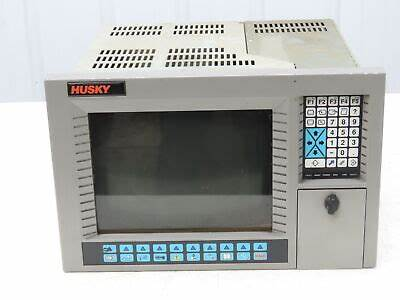
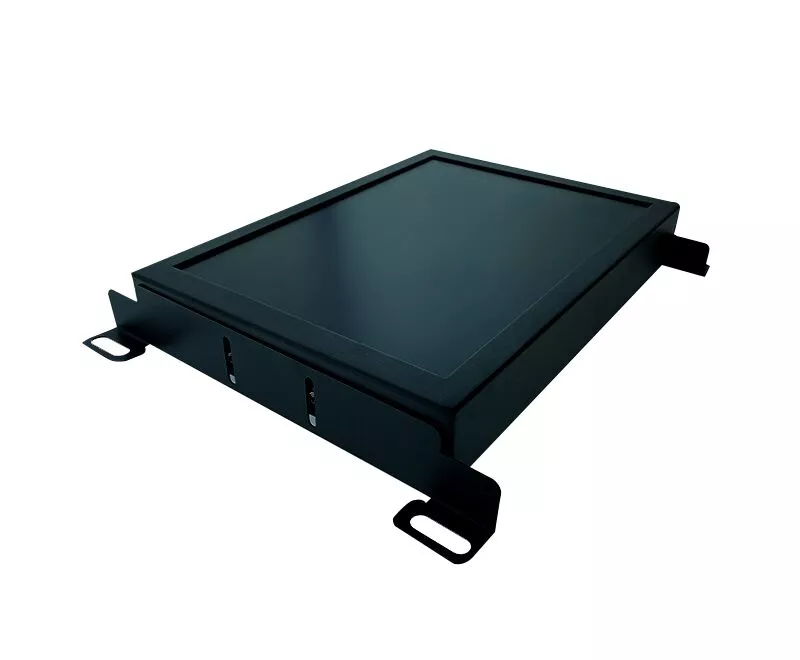
LCD monitor upgrade for 14 inch Xycom 9450 and Xycom 9403

Overview

The Xycom 9450 and 9403, as important equipment in the industrial control field, may experience issues such as blurry display and interface aging with their original 14 inch LCD displays after long-term use. The upgrade of the cable kit this time aims to meet the modern industrial demand for efficient visual monitoring and precise data exchange by improving display resolution, enhancing color expression, and optimizing interface connection stability, ensuring the continuous and stable operation of equipment in complex industrial environments.

Specification parameters

(1) Display parameters

Resolution: 1280 × 1024

Compared to the original monitor, the screen details are clearer, and the edges of text and images are smoother, making it suitable for displaying complex industrial drawings, fine data charts, and reducing the risk of information misreading

Brightness: 300cd/m ²

Even in industrial workshops with strong lighting, it can ensure clear and visible screen content, reduce the interference of reflection on the operator’s line of sight, and improve work efficiency

Contrast ratio: 1000:1

Make the bright parts of the screen brighter and the dark parts darker, and make the color differentiation of equipment operation status indicator lights, alarm prompts, etc. more prominent, making it easier to quickly identify abnormal situations

Display ratio: 4:3

Adapt to the original interface layout of Xycom 9450 and 9403, without the need for significant adjustments to device software display settings

Response time: 5ms

Effectively reducing dynamic image ghosting, the image is smooth and free of ghosting when the monitoring device is running quickly

(2) Cable kit parameters

HDMI cable

Length: Available in two specifications: 1.5 meters and 3 meters. 1.5 meters is suitable for compact installation scenarios of equipment, such as inside small control cabinets; 3 meters can meet the layout requirements of devices with long distances between them, such as connecting devices and displays installed in large workshops.

Transmission standard: Complies with HDMI 1.4 standard, supports 1080p high-definition video transmission, with a data transmission rate of 3.4Gbps, ensuring no delay or lag in image transmission, and realizing real-time high-definition monitoring of industrial production processes.

Material: Made of pure copper conductor and multi-layer shielding design, it can effectively resist electromagnetic interference in industrial environments, such as interference caused by motor operation and frequency converter operation, ensuring stable signal transmission and avoiding problems such as snowflakes and flickering on the screen.

VGA cable

Length: 2 meters standard length, suitable for most industrial equipment conventional installation distances, meeting the basic connection requirements between Xycom 9450 and 9403 and displays.

Interface type: Both ends are DB-15 male heads, using gold plating technology, with strong oxidation and corrosion resistance, low contact resistance, ensuring stable and reliable signal transmission, extending cable service life, and reducing the probability of display failures caused by poor interface contact.

Core functions

(1) High definition visualization upgrade

The upgraded monitor, with high resolution and excellent color performance, can clearly present industrial equipment operating parameters, real-time production process images, and complex engineering drawings. For example, in a machining workshop, parameters such as machine speed and feed rate can be clearly displayed; In chemical production monitoring, it can accurately present the pressure and temperature change curves of pipelines, helping operators to more accurately grasp the operating status of equipment, timely discover potential hazards, and provide reliable basis for production decisions.

(2) Flexible and stable connection

The cable kit offers a wide range of interface types (HDMI and VGA) and diverse length specifications, supporting flexible connection between the monitor and Xycom 9450, 9403, and other different types of industrial equipment. For old devices that are still using traditional VGA interfaces, stable connections can be achieved through VGA cables; For newly purchased high-performance industrial computers and other devices with HDMI interfaces, HDMI cables can achieve fast transmission of high-definition digital signals, improving device versatility and system integration. At the same time, the shielding design and high-quality interfaces of high-quality cables ensure stable and uninterrupted signal transmission in complex industrial electromagnetic environments.

(3) System compatibility optimization

This upgrade plan fully considers the system characteristics of Xycom 9450 and 9403, retaining the VGA interface to ensure compatibility with the original device system, making it convenient for users to gradually upgrade their devices without replacing all hardware, reducing costs and resource waste. At the same time, the newly added HDMI interface can adapt to the digital and intelligent upgrading needs of future devices, achieving a smooth transition between old and new devices.

Working principle

The upgraded monitor receives video and data signals from Xycom 9450 and 9403 devices through HDMI or VGA interfaces. The digital signal transmitted by HDMI cable can be directly received and processed by the digital processing chip of the display, quickly converted into high-definition images and displayed on the screen; The analog signal transmitted by VGA cable first goes through the A/D conversion module inside the display, which converts the analog signal into a digital signal. Then, the digital processing chip performs color correction, image scaling, and other processing to finally display a clear image. During cable transmission, its shielding layer effectively blocks external electromagnetic interference, while the anti-interference circuit inside the display further filters out clutter, ensuring signal integrity and accuracy, and achieving stable and high-definition display effects.

Upgrade Operation Guide

(1) Preparation work

Confirm that the Xycom 9450 and 9403 devices have been completely powered off, and turn off the power supply of related supporting equipment to avoid the risk of electric shock or equipment damage during operation.

Prepare the installation tools required for the upgrade, including a 14 inch LCD upgrade monitor, cable kit, screwdriver, anti-static wristband, etc. Wear anti-static wristbands to prevent damage to electronic components caused by human static electricity.

(2) Disassemble the original monitor

Use a screwdriver to unscrew the screws that secure the original monitor, carefully remove the monitor casing, and be careful to preserve the screws and casing components.

Carefully disconnect the cables connecting the original monitor to the Xycom 9450 and 9403 devices, remember the connection position and interface type of each cable, and take photos or record annotations for future reference when installing a new monitor.

(3) Install a new monitor

Place the new monitor in its original installation position and secure the monitor housing with screws to ensure a secure installation. Tighten the screws appropriately to avoid damaging the monitor housing due to excessive tightness or loosening during device vibration.

Choose the appropriate cable (HDMI or VGA) based on the interface type of the Xycom 9450 and 9403 devices. If the device has an HDMI interface, prioritize using an HDMI cable. Connect one end of the cable to the device’s HDMI interface and the other end to the monitor’s HDMI interface; If the device only has a VGA interface, use a VGA cable for connection to ensure that the interface is tightly connected without looseness or skewness.

(4) Testing and Debugging

Connect the Xycom 9450, 9403 devices and monitor power, turn on the devices and monitor in sequence, and check if the monitor is displaying the image normally.

If the display is abnormal, first check whether the cable connection is correct and the interface is secure, and try unplugging the cable again; If the problem still persists, you can try replacing the cable for testing or checking if the device display settings are correct.

Enter the monitor settings menu and adjust parameters such as resolution, brightness, contrast, color mode, etc. according to actual needs to achieve the best display effect. At the same time, test whether the various functions of the monitor, such as menu operation and button response, are normal.

Precautions

(1) Installation and use

During the installation process, it is strictly prohibited to pull or tug on the cable with force to avoid internal conductor breakage or interface damage, which may affect the signal transmission performance. If the cable length is not suitable, do not forcefully stretch or bend it. Choose a cable of appropriate length for installation.

Do not use the monitor in harsh environments such as high temperatures (over 60 ℃), humidity (relative humidity greater than 85%), and strong magnetic fields (such as near large motors or transformers). If it is unavoidable to use in special environments, corresponding protective measures should be taken, such as installing a cooling fan, protective casing, and using shielding devices for the monitor.

Regularly check the connection of cables, especially after the equipment has been running for a period of time, as cables may become loose or fall off due to vibration or other reasons. Conduct a comprehensive inspection at least once a month to ensure a stable and reliable connection between the device and the monitor.

(2) Maintenance and upkeep

When cleaning the monitor screen, a dedicated screen cleaning cloth and cleaner should be used. First, gently wipe the surface of the screen to remove dust and stains. Avoid using rough fabrics or cleaning agents containing corrosive ingredients to prevent scratching the screen or damaging the screen coating. The cleaning frequency depends on the usage environment and frequency, generally cleaning once every 1-2 weeks.

Regularly dust the monitor by using dry compressed air or a soft bristled brush to clean the dust from the cooling holes, interfaces, and other parts of the monitor. Deep dust removal should be carried out every 3-6 months to maintain good heat dissipation and electrical connection performance of the equipment, prevent overheating and poor interface contact caused by dust accumulation, and extend the service life of the monitor.

LCD upgrade kit for Xycom 2050 | T2 Industrial Xycom 2050 LCD

Xycom 2060 LCD Upgrade Monitor with Cable Kit 12 inches

Product Overview

Xycom 2060 12 inch LCD upgraded display with cable kit, designed specifically for industrial automation, equipment monitoring and other fields. By upgrading performance and optimizing interfaces, we solve problems such as low resolution and unstable connections in old display devices. With high-definition display and reliable data transmission, we help visualize and streamline industrial production processes.

Specification parameters

(1) Display parameters

Display performance

Resolution: Increased to 1024 × 768, compared to traditional 12 inch LCD displays, it can present industrial parameter charts, equipment operation interfaces, and other content more clearly, reducing information misjudgment caused by blurry images.

Brightness: reaching 250cd/m ², it can ensure clear and visible screen content in general industrial environments, effectively combating environmental light interference.

Contrast ratio: 800:1, making the brightness and darkness of the screen clear, and the display of equipment operation status indicators, alarm prompts, etc. more prominent, making it easier for operators to quickly identify abnormal situations.

Physical specifications

Size: 12 inch screen, aspect ratio 4:3, compact size suitable for installation in compact industrial control cabinets and operation panels, compatible with existing equipment installation layouts.

Thickness: 15% thinner than previous generation products, further saving installation space, and having a simpler appearance, making it easy to integrate into various industrial equipment.

Weight: reduced by about 10%, convenient for handling and installation, reduces pressure on installation brackets, and enhances equipment stability.

Interface type

New Interface: Equipped with HDMI interface, supporting high-definition digital signal transmission, seamlessly integrating with new industrial computers and intelligent monitoring devices, achieving fast transmission of high-definition images and data.

Retain interface: Retain VGA interface to ensure compatibility with existing industrial equipment, facilitate users’ gradual transition during device updates, and avoid resource waste.

(2) Cable kit parameters

HDMI cable

Length: Available in two specifications of 1 meter and 2 meters, the 1-meter cable is suitable for compact installation scenarios of equipment; The 2-meter cable can meet the connection needs of slightly longer distances between devices and adapt to different industrial equipment layouts.

Transmission standard: Compliant with HDMI 1.4 standard, supports 1080p high-definition video transmission, with a data transmission rate of up to 3.4Gbps, ensuring smooth and delay free images, and clearer real-time monitoring of industrial production processes.

Material: Made of high-quality pure copper conductor and multi-layer shielding structure, effectively resisting electromagnetic interference in industrial environments, ensuring stable signal transmission, and avoiding snowflakes and stuttering on the screen.

VGA cable

Length: The standard length is 1.5 meters, suitable for most industrial equipment installation distances, and meets the basic connection requirements between the equipment and the display.

Interface type: DB-15 male head at both ends, using gold plating process, anti-oxidation, anti-corrosion, low contact resistance, ensuring stable and reliable signal transmission, extending cable service life, and reducing display failures caused by interface problems.

Core functions

(1) High definition visualization

High resolution and excellent color performance enable the monitor to clearly display industrial equipment operation data, production process images, and complex engineering drawings. Operators can read information more accurately, timely discover equipment hazards and production abnormalities, and provide reliable basis for decision-making.

(2) Flexible connection adaptation

The cable kit has rich interfaces and diverse length specifications, supporting the connection of displays with different types and locations of industrial equipment. Both new intelligent devices and old devices still in service can achieve stable data transmission, improving device universality and system integration.

(3) Stable signal transmission

The high-quality material and shielding design of the cable, combined with the optimized signal processing module of the display, effectively resist the effects of electromagnetic interference and power fluctuations in industrial environments, ensuring stable and clear images and avoiding production operation errors caused by unstable signals.

Working principle

The monitor receives video and data signals from industrial devices such as computers and PLC controllers through HDMI or VGA interfaces. The digital signal transmitted through HDMI cable is directly received and processed by the digital processing chip of the display, and converted into image display; The analog signal transmitted by VGA cable is first converted into a digital signal by the internal A/D conversion module of the display, and then processed and displayed by the digital processing chip. During the transmission process, the cable shielding layer works in conjunction with the display anti-interference circuit to filter out external interference and ensure signal integrity and accuracy.

Upgrade Operation Guide

(1) Preparation work

Ensure that the equipment is completely powered off to avoid the risk of electric shock or equipment damage during operation.

Prepare installation tools such as Xycom 2060 12 inch LCD upgrade monitor, cable kit, screwdriver, etc.

(2) Disassemble the original monitor

Use a screwdriver to unscrew the screws that secure the original monitor and carefully remove the monitor casing.

Disconnect the cables connecting the original monitor to the device, remember the interface connection location and type, to facilitate the installation of a new monitor in the future.

(3) Install a new monitor

Place the new monitor in its original installation position and secure the housing with screws to ensure a secure installation and prevent the monitor from loosening due to vibration.

Select the appropriate cable (HDMI or VGA) based on the device interface type, connect one end to the corresponding interface of the device and the other end to the monitor interface, ensuring a tight and secure connection.

(4) Testing and Debugging

Connect the device power, turn on the monitor and device, and check if the monitor is displaying the image normally.

If the display is abnormal, check if the cable connection is correct, if the interface is loose, or try replacing the cable for testing.

Enter the monitor settings menu and adjust parameters such as resolution, brightness, contrast, etc. according to actual needs to optimize the display effect.

Precautions

(1) Installation and use

During installation, avoid excessive pulling of cables to prevent internal conductor breakage or interface damage, which may affect signal transmission performance.

Do not use the monitor in harsh environments such as high temperature, humidity, and strong magnetic fields. If it needs to be used in special environments, protective measures should be taken, such as installing protective shells and using shielding devices.

Regularly check the cable connection to avoid cable loosening or detachment caused by vibration, which may affect the normal operation of the equipment.

(2) Maintenance and upkeep

When cleaning the monitor screen, use a specialized cleaning cloth and cleaner, gently wipe it, avoid using rough fabrics or corrosive cleaners, and prevent scratching the screen or damaging the coating.

Regularly remove dust from the monitor, use dry compressed air or soft bristled brushes to clean the dust from the heat dissipation holes, interfaces, and other parts, maintain good heat dissipation and electrical connection performance of the equipment, and prevent overheating or poor interface contact caused by dust accumulation.

XYCOM 2060 LCD Upgrade Kit | Monitech Industrial Displays

Xycom 9450 14-inch LCD monitor upgrade with Cable Kit

Overview

The Xycom 9450 14 inch LCD display, combined with a dedicated cable kit, has been upgraded to effectively solve problems such as blurry display, incompatible interfaces, and unstable connections. It significantly improves display clarity, color reproduction, and data transmission efficiency between devices, making it suitable for industrial automation monitoring, device operation interface display, and other scenarios, meeting the higher requirements of modern industrial production for visualization and stability.

Specification parameters

(1) Display parameters

Display performance

Resolution: Upgraded from the original standard resolution to 1280 × 1024, compared to traditional 14 inch LCD displays, the image details are more abundant, and the edges of text and images are smoother. When displaying industrial data charts and equipment drawings, it can clearly show small parameters and complex structures, avoiding information misreading caused by insufficient resolution.

Brightness: increased to 300cd/m ², ensuring clear and visible screen content even in bright industrial workshop environments, reducing the interference of reflections on the operator’s line of sight, and improving work efficiency and safety.

Contrast ratio: Upgraded to 1000:1, making the bright parts of the screen brighter and the dark parts darker. When displaying the device’s operating status interface, different colored indicator lights and warning signs are more clearly distinguished, making it easier for operators to quickly identify device abnormalities.

Physical specifications

Size: Maintaining a 14 inch screen size with a 4:3 aspect ratio, it meets the installation space requirements of industrial operation panels and is compatible with the original equipment’s installation frame, without the need for large-scale modifications to the installation structure.

Thickness: Adopting a thinner and lighter design, the body thickness is reduced by 20%, saving installation space and making the overall appearance more concise and compact, suitable for installation inside industrial control cabinets with limited space.

Weight: 15% lighter than the original monitor, convenient for installation and handling, reduces the load-bearing pressure on the installation bracket, and improves the overall stability of the equipment.

Interface type

New HDMI interface has been added to support high-definition digital signal transmission, seamlessly connecting with modern industrial computers, high-definition cameras, and other devices to achieve fast transmission of high-definition video and data, meeting the high-definition requirements of industrial monitoring images.

Retain VGA interface to ensure compatibility with old industrial equipment, facilitate users to gradually upgrade and transform the system, and avoid resource waste caused by mismatched device interfaces.

(2) Cable kit parameters

HDMI cable

Length: Available in two specifications of 1.5 meters and 3 meters to meet different installation distance requirements. The 1.5-meter cable is suitable for compact installation environments where the distance between the monitor and the device is close; A 3-meter cable can cope with complex scenarios with scattered equipment layout and long distances.

Transmission standard: Complies with HDMI 1.4 standard, supports 1080p high-definition video transmission, with a data transmission rate of up to 3.4Gbps, ensuring no delay or lag in image transmission. When monitoring industrial production processes in real-time, the image is smooth and clear, providing accurate visual information for operators.

Material: Made of pure copper conductor and multi-layer shielding design, effectively reducing electromagnetic interference and enhancing signal transmission stability. Even in industrial environments with strong electromagnetic interference, high-quality signal transmission can still be guaranteed, avoiding problems such as snowflakes and flickering on the screen.

VGA cable

Length: 2 meters standard length, suitable for the conventional installation distance of most industrial equipment, meeting the basic connection requirements between the equipment and the display.

Interface type: Both ends are DB-15 male heads, with gold-plated interface technology, strong oxidation and corrosion resistance, low contact resistance, ensuring stable and reliable signal transmission, extending cable service life, and reducing the probability of display failures caused by poor interface contact.

Core functions

(1) High definition display

The upgraded high resolution and excellent color performance enable the monitor to clearly display industrial equipment operating parameters, production process monitoring images, complex engineering drawings, and other content, helping operators to read information more accurately, timely detect equipment abnormalities and production problems, and provide reliable basis for production decisions.

(2) Flexible Connection

The cable kit has a wide range of interface types and various length specifications, supporting the connection of displays with different types and locations of industrial equipment. Whether it is newly purchased high-performance industrial computers or old control equipment still in service, it can achieve stable data transmission, improve equipment versatility and system integration.

(3) Stable transmission

The high-quality material and shielding design of the cable, combined with the optimized signal receiving and processing module of the display, effectively resist the influence of electromagnetic interference, power fluctuations and other factors in the industrial environment on the display signal, ensure stable and clear images, and avoid production misjudgment and equipment operation errors caused by unstable signals.

Working principle

The monitor receives video and data signals from industrial devices such as computers, PLC controllers, etc. through HDMI or VGA interfaces, and the cable kit is responsible for transmitting the signals from the device end to the monitor end. The digital signal transmitted through HDMI cable is directly received and processed by the digital processing chip of the display, and converted into an image for display on the screen; The analog signal transmitted by VGA cable first goes through the A/D conversion module inside the display, which converts the analog signal into a digital signal, and then processed and displayed by the digital processing chip. During signal transmission, the shielding layer of the cable and the anti-interference circuit of the display work together to filter out external electromagnetic interference, ensuring the integrity and accuracy of the signal.

Operation Guide

(1) Preparation work

Confirm that the device has been powered off to avoid the risk of electric shock or equipment damage during operation.

Prepare the installation tools such as Xycom 9450 14 inch LCD monitor, cable kit, screwdriver, etc. required for the upgrade.

(2) Disassemble the original monitor

Use a screwdriver to unscrew the screws that secure the original monitor and carefully remove the monitor casing.

Disconnect the cables connecting the original monitor to the device, remember the cable connection location and interface type, in order to install a new monitor later.

(3) Install a new monitor

Place the new monitor in its original installation position and secure the monitor housing with screws to ensure a secure installation and prevent the monitor from loosening due to vibration.

Select the appropriate cable (HDMI or VGA) based on the device interface type, connect one end of the cable to the corresponding interface of the device, and connect the other end to the display interface, ensuring that the interface is tightly connected without any looseness.

(4) Testing and Debugging

Connect the device power, turn on the monitor and device, and check if the monitor is displaying the image normally.

If the display is abnormal, check if the cable connection is correct, if the interface is loose, or try replacing the cable for testing.

Enter the monitor settings menu and adjust parameters such as resolution, brightness, contrast, etc. according to actual needs to achieve the best display effect.

Precautions

(1) Installation and use

During the installation process, avoid pulling the cable forcefully to prevent the internal conductor of the cable from breaking or the interface from being damaged, which may affect the signal transmission performance.

Do not use the monitor in harsh environments such as high temperature, humidity, and strong magnetic fields to avoid shortening the device’s lifespan or affecting the display effect. If it needs to be used in special environments, corresponding protective measures should be taken, such as installing protective shells, using shielding devices, etc.

Regularly check whether the cable connections are secure, to avoid cable loosening or detachment caused by long-term vibration, which may affect the normal operation of the equipment.

(2) Maintenance and upkeep

When cleaning the monitor screen, a specialized screen cleaning cloth and cleaner should be used to gently wipe the surface of the screen. Avoid using rough fabrics or cleaners containing corrosive ingredients to prevent scratching the screen or damaging the screen coating.

Regularly remove dust from the monitor, use dry compressed air or soft bristled brushes to clean the dust from the monitor’s heat dissipation holes, interfaces, and other parts, maintain good heat dissipation and electrical connection performance of the equipment, and prevent overheating or poor interface contact caused by dust accumulation.

XYCOM XVME-956 Optical Disc Module XVME956

ODUCT OVERVIEW

The XVME-956 PC/AT family of products is designed to provide I/O expansion for Xycom’s XVME VMEbus PC/AT products.

The XVME-956 consists of two sets of carrier cards and the accompanying daughter modules with either a PC/XT or PC/AT interface. 

When the daughter modules are installed onto a carrier, the resulting module occupies a single double-high VMEbus card slot. 

The XVME-956 is designed to operate with Xycom’s VMEbus PC/AT processor modules.

The XVME-956 provides the following features:

• PC/AT expansion I/O in a single VMEbus card slot

• Open architecture daughter modules available from Xycom and other vendors

• Pin and socket connector scheme (no card edge connectors)

• Convenient I/O front panel connections

The XVME-956 consists of carrier cards which drive the PC/AT signals from the host XVME PC/AT,and expansion modules which provide the various PC/AT I/O functions, such as Ethernet, Solid State

Disk, Serial I/O, and SCSI. The carrier cards (XVME-956/1 and XVME-956/12) are made to be compatible with Xycom’s line of VMEbus PC/AT products. The XVME-956/12 is for use with the Xycom XVME-PC/AT modules with PC/104 Expansion sites. 

Both the XVME-956/1 and 956/12 provide two expansion module sites and sit adjacent to the VMEbus PC/AT. 

The XVME-956/3 expansion kit provides the necessary standoffs and mating connectors for single module expansion on an XVME-PC/AT with an on-board PC/104 expansion site.

Two types of expansion modules are offered. 

Type B modules have industry standard PC/104 mechanical dimensions of 3.550″ x 3.775″. Each Type B module requires a separate Xycom front panel kit . Type A modules are 4.010″ x 5.091″ and are functionally the same as Type B modules but have an integral front panel. 

Type A modules do not require a front panel kit.

ARRIER CARD INSTALLATION

The carrier card requires the user to jumper the carrier card and attach it to the XVME PC/AT after

mounting the expansion modules. Section 1.2.1 contains information on the carrier card jumper

configuration for /1 and /12.

WARNING

All Xycom VME PC/AT CPU modules with functional revision levels of 4.1 or higher (functional revision levels and part numbers are located on a label on the P1 connector) feature a 16-bit compatible PC/104 expansion site.

This PC/104 expansion site requires a new version of the XVME-956 Modular I/O Carrier Module. If the CPU module’s functional revision level is 4.1 or higher, use the XVME-956/12 (part number 70956-012). If the functional revision level is less than 4.1, use the XVME-956/2 (part number

70956-002). Do not use the XVME-956/2 on a CPU module with functional revision levels of 4.1 or higher as this may cause damage to both modules.

VME-956/1/12 Carrier Card Jumpering

Both the 956/1 and 956/12 need to be jumpered. All AT signals except the data lines are buffered.

Signals which are outputs from the CPU are buffered and driven directly to the input pins of the I/O expansion module sites; such as the address bus, and the control signals. Signals which are outputs

from the I/O expansion module sites, are buffered and are connected to the CPU through jumpers; such as the IRQ signals, and the DRQ signals ttaching the XVME-956/1 to the XVME-PC/AT

The installation procedure involves three basic steps:

• installing the expansion module onto the XVME-956 (see Section 1.3)

• connecting the XVME-956 VME carrier card to the XVME-684, -686, and -687 modules via P1 and P2 of the VME backplane, and installing the XVME-956 and CPU into the VMEbus rack

• installing the printed circuit board (Inter-board connector) on the VMEbus backplane at J2, connecting the XVME-684 or XVME-686 and the XVME-956/1

1.2.2.1 Connect ing the XVME-956 Carrier Card to the XVME-PC/AT and Installing these

Cards in the VMEbus Rack

Xycom modules are designed to comply with all physical and electrical VMEbus backplane

specifications. The XVME-956/1 VME carrier card is a double-high, single-wide module and requires

one slot next to the XVME-684, -686, or -687 with both P1 and P2 connections.

Once the jumper and switch configurations for the XVME-956 are checked, and the expansion module is installed as indicated in Section 1.4, connect the XVME-956/1 VME carrier card to the XVME-684,-686 or -687 processor CPU module.

Procedure

1. Disconnect all power sources.

2.If the XVME-684, -686, or -687 module is currently installed in the VME backplane, remove

the processor module by gently pulling on it until it slides out of the chassis.

3. Place the XVME-956 board on top of the XVME-684 Xycom I/O module so that the P3 connectors line up.

4. Inser t the P3 pins of the XVME-956 VME card into the P3 socket of the XVME-684, -686, or -687 connecting module and press the two boards together.

The second step is sliding the connected cards into the VME backplane.

5. Make sure one card cage slot to the right of the Xycom XVME-684, -686 or -687 board set is clear and accessible.

6. Center the attached XVME-956 and XVME-684, -686 or -687 boards on the plastic guides in the slots.

7. Push the modules slowly to the rear of the chassis until the P1 and P2 connectors engage.

8. App l y straightforward pressure to the handles on the front of the panels until the connectors are fully engaged and properly seated. 

Do not use excessive force to engage the connectors.

Installing the Inter-Board Connector

All versions of the XVME-684, -686, and -687 modules route the PC/XT signals to rows A and C on the VMEbus P2 backplane. Because rows A and C are not bussed on a standard VMEbus P2 backplane, an inter-board connector is installed to pass the PC/XT signals from the first to the adjacent slot. 

The XVME-686 does not require this inter-board connector, and there will not be one installed on the XVME-686 system unless the application already uses an XVME-956 or an XVME-951. 

​With the addition of the XVME-956, this inter-board needs to be removed and replaced with a three-position inter-board connector (XVME-686 and -956 only needs a two-position).

All AT signals from the XVME-684, -686, and -687 are received through rows A and C of the XVME 956 connector P2, and from the inter-board connector P3. A three-position inter-board connctor will be used to connect the XVME PC/AT to the XVME-956 module. If the XVME-686 module is being used, ensure that rows A and C on P2, in the third slot, are not being used by another VMEbus card or contact the factory to exchange the three position inter-board connector for a two position inter-board connector. (The three position inter-board connector is included with the XVME-956 module). 

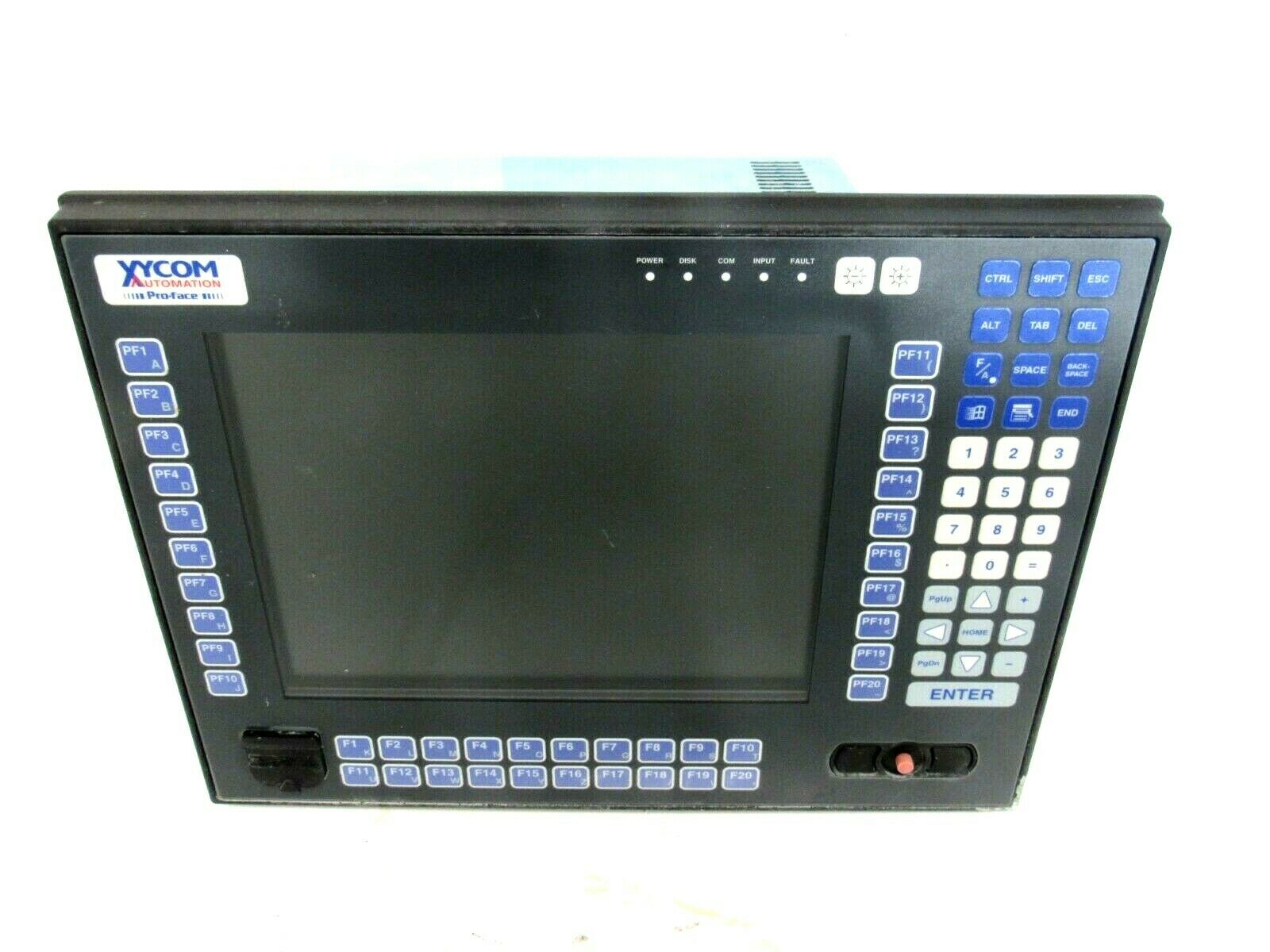
XYCOM Pro-Face 3712 KPM Industrial PCs

The 3712KPM units utilize a bright TFT 12.1″LCD flat panel display. 

Complex operations and screens can be displayed with clarity.

SVGA (800 x 600) resolution is recom mended.  

However, the 3712KPM units will display XGA (1024 x 768) resolution with some clarity degradation. The AGP graphics defaults to 4MB video RAM and will automati cally share RAM (up to 32 MB) with the system to allow full 32-bit color depth.

Higher Performance

With up to 1.26 GHz Pentium ®  III processors available, the 3712KPM units can drive the most demanding applications. 

The 3712KPM units ship standard with a Pentium III 1 GHz with 256K cache running at 133 MHz bus. A 1.26 GHz Pentium ®  III with 512K cache running at 133 MHz bus is an available option

Cutout Compatibility

The 3712KPM is directly cutout-compatible with many Xycom Automation legacy units. 

It offers a hardware upgrade path for many units, including the 2050, 8450, 9450, 9475,

9485, 9486, 9486 and the 9487 without the need to alter your current enclosure and/or

machine. 

For a more complete list, or to verify compatibility, contact Xycom Customer

Care.

Fits Your Needs

The 3712KPM can be configured many different ways. 

With four available expan sion slots (three full-length ISA/PCI, one ½ length PCI), many cost-effective, industry standard options are easily integrated. 

The optional dual hard drive, solid-state drive,externally accessible CompactFlash ™,  or

External Drive bay connector provide the storage solution you require. 

Additionally, the CD-ROM can be upgraded to CD-R/W, DVD,or DVD-R/W, so that even more storage and/or backup options are available. 

The optional 9000-XBAY allows you to externally mount any two IDE devices without requiring a

power supply or unreliable cabling.

Meets High Standards

To survive on the plant floor, the 3712KPM units meet NEMA 4/4x/12, IP65, FCC, UL,

CSA, and European CE mark requirements for industrial automation equipment. Xycom

Automation leads the industry in reliability,service, and support with an optional five

year warranty available.

Product Overview

The Xycom 3712KPM industrial computer is a high-performance computing device designed specifically for harsh industrial environments. With its robust and durable design, powerful computing capabilities, and excellent compatibility, it plays a key role in automation production lines, smart factories, energy monitoring, and other fields, providing stable and reliable hardware support and data processing platforms for industrial control systems.

Specification parameters

(1) Hardware configuration

Processor: Equipped with a high-performance industrial grade processor (specific model depends on version), it has powerful data processing and multitasking capabilities, can quickly respond to industrial control instructions, and ensure efficient system operation.

Memory: Supports large capacity memory expansion to meet the needs of complex industrial applications for data storage and fast read and write, ensuring smooth running of multiple programs simultaneously.

Storage: Equipped with high-speed solid state drives (SSDs), it has the characteristics of fast data read and write speed, strong shock resistance, and low energy consumption. At the same time, it supports multiple storage interfaces for convenient data storage and backup.

(2) Electrical parameters

Working voltage: Supports wide voltage input, can adapt to AC voltage range of 100-240V, frequency of 50/60Hz, effectively resists voltage fluctuations, and ensures stable operation in different power environments.

Power consumption: Optimized power management design reduces device operating power consumption, reduces energy consumption and heat dissipation burden, and improves overall operational efficiency.

(3) Physical specifications

Size and weight: Compact and sturdy design, reasonable size for easy installation in limited spaces such as industrial control cabinets and workstations, moderate weight, and balance portability and stability.

Protection level: It has a high protection level (such as IP65), is dustproof and waterproof, and can effectively resist the erosion of dust, oil, and water vapor in industrial environments, adapting to harsh production environments.

Heat dissipation design: adopting efficient heat dissipation structure, such as large-area heat dissipation fins combined with intelligent fan speed control system, to ensure that core components such as processors maintain reasonable working temperature under long-term high load operation and improve equipment reliability.

Core functions

(1) Industrial grade stability

After rigorous industrial testing and certification, it can operate stably in extreme temperature environments ranging from -40 ℃ to 85 ℃, and has excellent anti vibration and anti impact performance, effectively responding to frequent mechanical vibrations and transportation bumps in industrial sites.

Supports 24/7 uninterrupted operation, with hardware watchdog function that automatically restarts in case of system abnormalities, ensuring continuous and stable operation of industrial control systems, reducing downtime and production losses.

(2) Powerful communication and expansion capabilities

Rich interfaces: equipped with multiple standard communication interfaces, including Ethernet interface (supporting high-speed network communication, realizing fast data transmission and remote monitoring between devices), serial port (RS232/RS485, adapted to traditional industrial equipment communication), USB interface (convenient for connecting external storage devices, printers, etc.), CAN bus interface (suitable for industrial fieldbus communication, realizing real-time data exchange between devices), etc., to meet the connection needs of different industrial equipment.

Expansion slot: Provides PCI, PCIe and other expansion slots, which can flexibly expand functional modules according to actual application needs, such as adding data acquisition cards to achieve multi-channel analog/digital acquisition, or inserting video acquisition cards to achieve industrial field video monitoring functions.

(3) Intelligent management and control

Support remote management function, which enables remote device monitoring, configuration, upgrading, and fault diagnosis through the network, facilitating technical personnel to maintain and manage devices in different locations, reducing operation and maintenance costs and time costs.

Built in industrial grade real-time operating systems (such as Windows Embedded, Linux Industrial, etc.), with features such as fast startup, high real-time performance, and strong stability, can accurately control and process real-time data in industrial production processes.

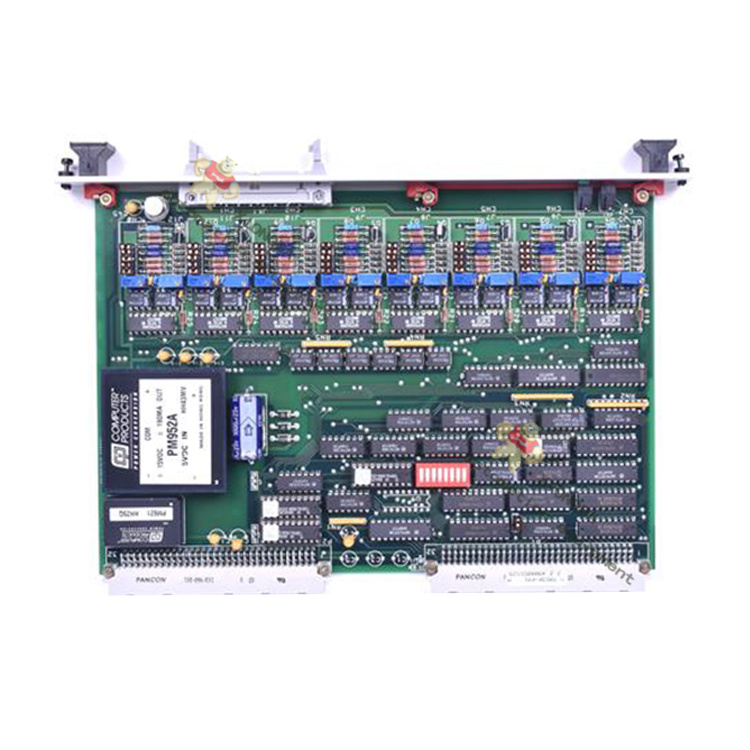
XYCOM XVME-400 70400-001 card

Overview

The Xycom Automation XVME-400 and XVME-401Quad Serial I/O Modules are single-high, single-wide VMEbus modules that provide a VMEbus system with four serial communication channels.  

The XVME-400 and XVME-401 differ only in their communication interface:  the XVME-400 provides four RS-232C serial ports, while the XVME-401 provides four RS-422A/RS-485 serial ports.

Both modules contain two Z8530 Serial Communica tion Controller (SCC) chips which provide a variety of communication modes, including asynchronous, byte synchronous, and bit-oriented protocols. 

Each channel is independently programmable and has its own baud rate generator and modem signal controls.

The VMEbus interface directly maps the Z8530 SCC chips into the short I/O address space, starting on a jumper-selected 1 Kbyte boundary. 

The modules can also be jumpered to generate an interrupt on any of the seven VMEbus interrupt levels.  

The two Z8530 SCC chips can generate a total of 16 different interrupt vectors.

For applications not allowing I/O to be routed out the front panel, the XVME-490 and XVME-491 offer the same functionality as the XVME-400 and XVME-401.

In a 6U form factor, the I/O is routed via the VMEbus P2 connector on the back of the board

Product Overview

XYCOM XVME-400 70400-001 card is a powerful VME bus single board computer that integrates high-performance processors and rich interface resources. It can operate stably in complex industrial environments and provide reliable computing and control capabilities for automation control systems. With its excellent performance and reliability, it has been widely used in industrial automation production lines, aerospace testing equipment, and national defense and military equipment.

Specification parameters

Processor: Typically equipped with high-performance processors (specific models vary by version), capable of quickly processing complex computing tasks and real-time control instructions, ensuring efficient system operation.

Memory: A memory with a certain capacity that supports fast storage and reading of data, meeting the requirements of different application scenarios for data processing speed and storage capacity.

Storage: Supports multiple storage methods, such as flash memory, which can be used to store operating systems, applications, and important data.

Interface: Provides rich interfaces, including serial ports, network ports, USB interfaces, etc., to facilitate communication and data exchange with external devices, achieving flexible expansion and integration of the system.

Electrical parameters: The working voltage and other electrical parameters comply with industrial standards and can work stably in different power environments, with good electrical compatibility.

Physical specifications: Designed according to the VME bus standard size, it is easy to install in various VME chassis and has good mechanical compatibility and interchangeability.

Core functions

Data processing: The powerful processor and memory configuration enable it to quickly process large amounts of data, efficiently completing both real-time data collection and complex computing tasks, providing accurate data support for control systems.

Real time control: With real-time operating system support, it can achieve precise real-time control of external devices, ensure the stability and accuracy of industrial production processes, and is widely used for precise control of automated production lines.

Communication capability: Rich interfaces enable it to communicate with various devices, support multiple communication protocols, achieve data exchange and collaborative work with different systems, and facilitate the construction of complex industrial automation networks.

System Expansion: Through various interfaces and bus expansion capabilities, other functional modules can be easily added, such as analog input/output modules, digital input/output modules, etc., to meet the personalized needs of different application scenarios.

Working principle: The XVME-400 70400-001 card communicates data and interacts with other modules through the VME bus. During operation, the processor reads operating system and application instructions from memory, processes and analyzes input data, and then sends control instructions or output data to external devices through corresponding interfaces based on the processing results. At the same time, it can also receive data feedback from external devices, achieving bidirectional data transmission and closed-loop control of the system.

Precautions

Installation environment: It should be installed in a dry, well ventilated, and suitable temperature environment, avoiding high temperature, high humidity, dust, and strong electromagnetic interference to ensure the normal operation and service life of the equipment.

Installation operation: During the installation and disassembly process, it is necessary to ensure that the equipment is powered off and take anti-static measures to avoid damage to the circuit board caused by static electricity. Ensure that all interfaces are securely connected during installation to avoid communication failures caused by looseness.

Power requirements: Use a stable power supply that meets the equipment requirements to avoid damage to the equipment caused by excessive power fluctuations or abnormal voltage. Before connecting the power supply, carefully check whether the power parameters match the equipment specifications.

Software maintenance: Regularly update the operating system and applications, fix potential vulnerabilities, and improve system stability and security. At the same time, regularly backup important data to prevent data loss.

XYCOM模块VME总线XVME-400(2024全+境/派+送/直+达)_技术研讨_仪器仪表技术文献_阿仪网

Xycom 3515 KPM PM101906 Operator Interface

Product Overview

The 3500 series of flat panel industrial PCs with 6-slot ISA/PCI expansion include the 3515, 3515KPM, and 3512KPM models.

These industrial PCs offer a powerful, compact package for the factory floor and other harsh environments.

The 3515 is an industrial PC with a display only (touchscreen optional).

The 3512KPM and 3515KPM is an industrial PC with a display, integrated keypads, and an integrated mouse.

They feature an open architecture to meet a wide variety of applications that require both a powerful PC and a durable industrial front panel.

The PCs integrate a computer card cage, mass storage, display, and power supply in a truly industrial form.

Their modular design allows easy access to expansion boards, jumpers, power supply, flat panel dis

play, and disk drives.

The front panel of every model is sealed to NEMA 4/4X/12, and the flat panel display is protected by an impact-resistant shield

Standard Features

With AHIP6+ board

Pentium® II technology

PCI 64 bit video controller, 2 MB video RAM

PCI local-bus IDE controller

Two 168-pin SDRAM DIMMs that support 32, 64, 128, and 256 MB options

Two USB ports

100MHz front side bus with Pentium II processors

With AHIP370+ board

Celeron ® technology

AGP 64 bit video controller, 2 MB video RAM

PCI local-bus IDE controller

Two 168-pin SDRAM DIMMs that support 32, 64, 128, and 256 MB options

Two USB ports

On all units

Two serial COM ports

RS-232

RS-232 or RS-485

Flat panel display

15-inch flat panel, 1024×768 resolution (3515 and 3515KPM)

12.1-inch flat panel, 800×600 resolution (3512KPM)

Parallel port

VGA port

Flash BIOS

9-inch mounting depth

3.5-inch internal, side access floppy drive

Six AT-bus full-length expansion slots

Four ISA slots

One ISA or PCI slot

One PCI (4.8” maximum length with AHIP6+ board)

IR Port (IrDA and ASKIR compatible)

Rear PS/2 keyboard port and AUX port (also a front PS/2 keyboard port on 3512KPM and 3515KPM)

Status LEDs

Power

Disk

Com

Input

3.5-inch internal IDE  hard drive

MS-DOS®

Front panel sealed to meet NEMA 4/4X/12 specifications when panel mounted in a

suitable fire and electrical enclosure.

Approved for use in Class I, Division 2 hazardous locations

Autosensing AC power supply

Side power connector with retainer bracket

Optional Features

Touchscreen resistive technology with less than 1.5% linearity error

Higher capacity IDE hard drives and solid state drives

3512KPM

40 relegendable function keys (80 with the F/A function)

Numeric, PC control, and alpha keypads

Integrated mouse

3515KPM

40 relegendable function keys (80 with the F/A function)

Numeric, PC control, and alpha keypads

Windows start menu and pop-up menu keys

Integrated mouse

Flat-panel display

15.0-inch TFT flat panel (3515 and 3515KPM)

12.1-inch TFT flat panel (3512KPM)

CD-ROM (internal)

Pre-installed PCI 10/100 Base-T Ethernet card

External floppy drive 9000-EXF

Front mount floppy kit 9000-FFK

Front access panel for floppy port and keyboard port 9000-FKA

Preloaded Microsoft Windows 95 or Windows NT® operating system

Product Overview

Xycom 3515 KPM PM101906 is an operator interface designed specifically for industrial environments, aimed at providing efficient and convenient human-machine interaction solutions for various automation systems. This interface has been widely used in the field of industrial automation due to its reliable performance, rich functionality, and good compatibility.

Specification parameters

Display specifications: Equipped with a 15 inch display screen, it can clearly present various information and meet the data visualization needs of industrial sites. Whether it is monitoring complex process flows or displaying equipment operating parameters, it can provide intuitive and accurate visual feedback for operators.

Electrical parameters: The working voltage supports 115V AC or 230V AC, with a frequency of 50/60Hz, suitable for power supply standards in different regions. The rated current is 6.3A, ensuring stable operation under normal working load and providing power guarantee for the continuous and reliable operation of the equipment.

Physical specifications: The overall design is compact, with optimized dimensions and weight, making it easy to install on various industrial control cabinets or workstations. Its sturdy shell material has certain protective properties, which can resist interference such as dust and vibration in industrial environments, ensuring the normal operation of the equipment under harsh conditions.

Core functions

Convenient operation: With a concise and clear interface, operators can get started without complex training. Through an intuitive graphical interface and convenient operation buttons, it is possible to quickly start, stop, and adjust parameters of the automation system, thereby improving work efficiency.

Data Interaction: Supports data communication with various industrial equipment and control systems, enabling real-time acquisition of equipment operating status, process parameters, and other information, and accurately transmitting operator instructions to the corresponding equipment. This efficient data exchange capability makes the entire automated production process more coordinated and smooth.

Status monitoring: Real time monitoring of the operating status of various devices in the automation system, visually displaying the normal, fault, alarm, and other status of the devices through different colors, icons, and other methods. Once the equipment encounters an abnormality, it can promptly issue an alarm to remind operators to handle it, effectively reducing equipment downtime and ensuring production continuity.

Working principle

Xycom 3515 KPM PM101906 establishes a connection with external automation systems through internal communication modules. When the system is running, the interface continuously receives real-time data from the device and parses it to display it in an intuitive form on the screen. At the same time, the operator’s operation instructions on the interface will be quickly captured and encoded before being transmitted to the corresponding equipment or control system, thereby achieving effective control over the entire automation process.

​Precautions

Installation environment: It should be installed in a dry and well ventilated environment, avoiding direct sunlight and high temperature and humidity. Stay away from strong electromagnetic interference sources to prevent any impact on the normal operation of the interface.

Power connection: Ensure that the power connection is correct and stable, and avoid damage to the equipment caused by power fluctuations or abnormal voltage. Before connecting the power supply, it is necessary to carefully check whether the power parameters match the equipment requirements.

Daily maintenance: Regularly clean the display screen to keep it clear, so that operators can accurately read information. Regularly check the connection lines of the equipment to ensure that they are firmly connected and free from looseness, damage, and other issues.

REFURBISHED XYCOM 3612KPM PROFACE OPERATOR INTERFACE 1000-256-CDF-2K ...

Xycom AOUT XVME-530 P/N 70530-001 FREV 2.2L

Basic information

Product model: XVME-530

Part number: 70530-001

Version: FREV 2.2L

Bus standard: VME bus, compliant with VITA 1.1 standard, ensuring compatibility and interoperability with other VME devices.

Output channel

Number of channels: 16 analog output channels, capable of controlling multiple devices or actuators simultaneously.

Output type: voltage output or current output, users can choose through software or hardware configuration.

Electrical characteristics

Voltage output range: Multiple options including ± 10V, 0-10V, ± 5V, 0-5V, etc., to meet the needs of different application scenarios.

Current output range: 4-20mA, 0-20mA, suitable for long-distance transmission and situations with high requirements for driving load capacity.

Resolution: 12 bits, capable of providing high output accuracy to ensure control accuracy.

Establishment time: The typical value is 25 μ s to ensure rapid response to system output changes.

Output accuracy: At room temperature (25 ℃), the voltage output accuracy is ± 0.1% FSR (full range), and the current output accuracy is ± 0.2% FSR; Within the working temperature range (-40 ℃ -+85 ℃), the voltage output accuracy is ± 0.3% FSR, and the current output accuracy is ± 0.5% FSR.

Interface and Communication

Interface type: DB37 connector, used to connect external devices and sensors.

Communication protocol: Communicate with the host through the VME bus, support standard VME data transmission protocol, and achieve fast data exchange.

Work environment

Working temperature: -40 ℃ -+85 ℃, able to adapt to harsh industrial environments.

Storage temperature: -55 ℃ -+125 ℃.

Humidity: 5% -95% (no condensation), ensuring normal operation in humid environments.

Power requirements

Working voltage:+5V DC, typical current consumption is 350mA;+15V DC, typical current consumption is 35mA; -15V DC, typical current consumption is 30mA.

mechanical properties

Size: Complies with the VME 6U standard size, making it easy to install in a VME chassis.

Weight: Approximately 500 grams (subject to actual product).

Core functions

Multi channel independent output

16 analog output channels can be independently configured as voltage or current output modes, supporting mixed use of different signal ranges, suitable for collaborative control of multiple actuators in complex industrial control systems.

Dynamic output update

Supports single channel or multi-channel synchronous updates, and can quickly refresh output values through the VME bus to meet real-time control requirements. For example, in robot motion control, synchronous motion control of multiple joints can be achieved.

Output protection mechanism

Short circuit protection: automatically limits the current when the output terminal is short circuited to prevent module damage

Overvoltage protection: Built in limiting circuit to prevent output voltage from exceeding the safe range

Thermal shutdown protection: automatically shuts off the output when the temperature exceeds the threshold, and automatically restarts after the temperature is restored

Fault diagnosis function

Output status monitoring: Real time detection of whether the output of each channel is normal

Sensor disconnection detection: supports detecting the connection status of external loads

Fault code storage: Record recent fault information for easy maintenance

Working principle

The XVME-530 module is based on digital to analog conversion (DAC) technology to achieve signal conversion. The workflow is as follows:

Data reception: Receive digital control signals (12 bit binary values) sent by the host through the VME bus

Data cache: The received data is temporarily stored in registers inside the module

DAC conversion: Digital signals are converted into analog voltage/current signals through high-precision DAC converters

Signal conditioning: The converted analog signal is processed by amplification, filtering, and other conditioning circuits to ensure the stability and accuracy of the output signal

Output driver: The conditioned signal is transmitted to the external load through the output driver circuit

The module adopts optoelectronic isolation technology internally to achieve isolation between digital circuits and analog circuits, effectively suppressing electromagnetic interference, improving anti-interference ability and system reliability.

Precautions

Installation and wiring

It needs to be installed in a metal chassis that meets EMC standards, ensuring good grounding

Analog signal lines should be wired separately from digital signal lines to avoid cross interference

Suggest using shielded cables to connect external devices, with the shielding layer grounded at one end

Power requirements

The power supply needs to be stable, and the ripple coefficient should be less than 50mV

Each power pin should be connected according to regulations to avoid reverse connection or short circuit

It is recommended to use an independent power supply to power the module and avoid sharing power with high load devices

Configuration and Programming

Before first use, it is necessary to initialize and configure the output mode, range, and other parameters through software

When programming, attention should be paid to the correctness of data format and register addresses

Avoid frequent reading and writing of module registers to prevent data conflicts

Environmental adaptability

Avoid using in environments with strong magnetic or electric fields

The working environment should be well ventilated to avoid dust accumulation

When used in high humidity environments, moisture-proof measures should be taken

XYCOM XVME-530 Isolated Analog Output Module-Xiongba Automation

Xycom XVME-100 RAM Memory Module

​Storage capacity and technology type

Capacity specifications

XVME-100 typically offers multiple storage capacity options, commonly including 32MB, 64MB, 128MB, etc., to meet the data storage requirements of different application scenarios. For example, in industrial automation control systems, if there is a large amount of real-time data caching and processing involved, the larger 128MB specification can ensure efficient system operation and avoid data loss or processing delays caused by insufficient memory.

Technical type

This module adopts dynamic random access memory (DRAM) technology, which has the characteristics of high cost-effectiveness and fast read and write speed. It can quickly respond to the system’s read and write requests for data, ensuring the smooth operation of the computer system. In some industrial control scenarios that require high real-time performance, such as real-time monitoring and control of automated production lines, DRAM technology can process sensor data in a timely manner, enabling the control system to respond quickly.

Electrical characteristics

Working voltage

The working voltage of XVME-100 is generally 5V DC (direct current), which is a common voltage value that meets industrial standards and is easy to adapt to the power supply system of other industrial equipment, ensuring stable power supply in industrial environments. In complex electrical environments such as factory workshops, a stable 5V power supply can ensure the normal operation of memory modules and reduce the risk of faults caused by voltage fluctuations.

Power consumption

The power consumption of this memory module is relatively low, taking the 128MB specification as an example, the typical power consumption is about 2-3W. The low-power characteristic not only helps to reduce the energy consumption of the entire system, but also reduces heat generation and improves the stability of the device during long-term operation, especially suitable for applications such as industrial control cabinets with limited heat dissipation conditions.

Interface and Physical Characteristics

Interface type

XVME-100 adopts the VME (Versa Module Eurocard) bus interface, which has advantages such as high reliability and high-speed data transmission capability. The VME interface supports multi master device operation, with a data transmission rate of up to 40MB/s, which can meet the demand for fast transmission of large amounts of data in industrial automation systems. For example, in industrial data acquisition systems, the collected data can be quickly transmitted to the processor for processing.

Physical dimensions

The module size follows the 6U specification of the VME standard, which is 340mm long and 233.35mm wide. This standardized size design makes it easy to install on various chassis or backboards that comply with the VME standard, with good universality and interchangeability, making it convenient for system integrators to build and maintain the system.

Weight

The weight of XVME-100 is relatively light, approximately between 200-300 grams, with slight differences in specific weight due to capacity and internal component configuration. The lighter weight makes the operation more convenient during equipment installation and maintenance, reducing the load-bearing pressure on the equipment installation structure.

Performance parameters

Read and write speed

Its read speed is usually between 10-20ns (nanoseconds), and the write speed is about 15-25s. Fast read and write speeds are crucial for applications that require frequent access to data, such as in industrial real-time database systems, where new data can be quickly written into memory and historical data can be quickly read for analysis, providing timely and accurate data support for industrial decision-making.

Data transmission rate

With the help of the VME bus interface, the data transmission rate of XVME-100 can reach 40MB/s, enabling high-speed data exchange with other devices in the system (such as processors, storage devices, etc.), ensuring the data processing efficiency of the entire industrial system. In the control system of industrial automation production lines, high-speed data transmission enables the controller to quickly obtain sensor data and issue control instructions in a timely manner, ensuring the efficient operation of the production line.

Environmental adaptability

Working temperature range

XVME-100 can operate within a wide temperature range, typically from -40 ° C to+85 ° C. This allows it to adapt to various harsh industrial environments, whether in cold northern industrial sites or hot southern factory workshops, ensuring stable operation of industrial systems without being affected by environmental temperature.

Humidity range

This memory module can operate normally in an environment with a relative humidity of 5% -95% (without condensation). In some industrial scenarios with high humidity, such as textile factories, food processing plants, etc., it can effectively avoid circuit short circuits or data errors caused by humidity issues, ensuring the reliability of the system.

Seismic resistance

XVME-100 has excellent seismic design and can withstand a certain degree of mechanical vibration and impact. In industrial environments, equipment may be affected by vibrations caused by machine operation, transportation, etc. This module ensures the stability and integrity of data storage in vibration environments through optimized mechanical structures and component fixing methods.

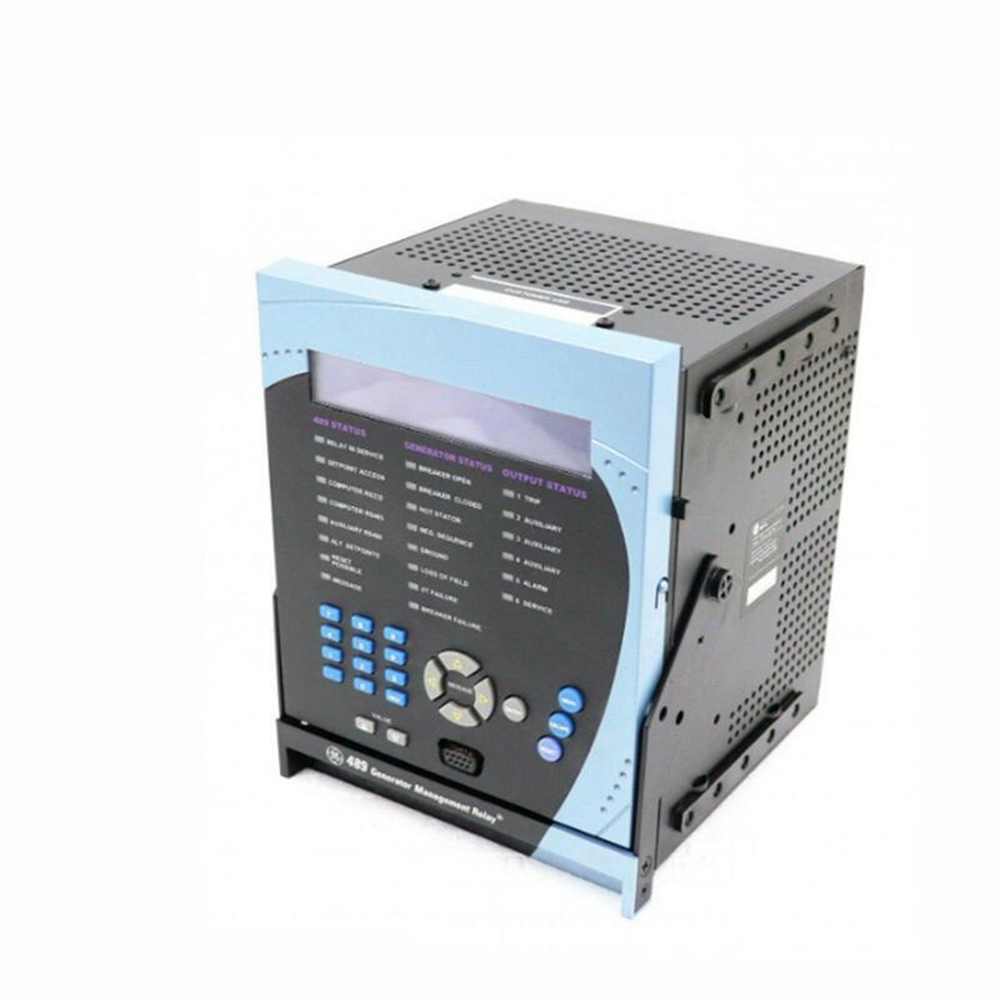
GE SR489-P5-LO-A20-E relay protection

Core technical parameters and functional characteristics

Protection function system

Stator and rotor protection: integrated stator grounding protection (100% stator grounding monitoring), stator thermal overload protection (combined with RTD temperature sensor and current model), negative sequence overcurrent protection (rotor thermal stress monitoring), and excitation fault protection.

Bearing and vibration monitoring: 12 RTD inputs support bearing temperature monitoring, and 4 analog inputs can be connected to vibration sensors to achieve bearing overheating and mechanical vibration warning.

Power and frequency protection: Supports overvoltage/undervoltage, overclocking/underfrequency, reverse power (to prevent motor operation), and demagnetization protection, suitable for 25Hz, 50Hz, or 60Hz power grid environments.

Measurement and communication capabilities

Multi dimensional data collection: Real time monitoring of parameters such as current, voltage, power, frequency, power factor, etc., supporting energy metering and event recording (256 time scale events).

Flexible communication interface: standard RS232/RS485 port (Modbus RTU protocol), optional Ethernet (Modbus TCP/IP), supports integration with SCADA/DCS systems.

Human computer interaction interface: The 40 character LCD screen supports local parameter configuration, fault diagnosis, and waveform playback (128 cycle waveform capture).

Hardware and environmental adaptability

Input/output configuration: 9 digital inputs, 6 output relays (including trip/alarm contacts), 4 programmable analog outputs (4-20mA), which can directly drive PLC or external controllers.

Power compatibility: The control power supply supports 20-60V DC or 20-48V AC (48-62Hz), adapting to various power supply conditions in industrial sites.

Environmental reliability: Operating temperature range of -40 ° C to+60 ° C, protection level IP20 (dustproof), meeting the long-term operational needs of industrial environments.

Application scenarios and industry value

Power generation and energy sector

Small and medium-sized generator protection: widely used in industrial self owned power plants, distributed energy stations, and renewable energy projects, such as grid protection for gas turbines and wind turbines.

Cogeneration system: supports reverse power protection and automatic synchronization control to ensure the stability of the unit during grid switching.

industrial process control

Redundancy protection for key equipment: In scenarios such as petrochemicals and mines, it provides backup protection for compressors and pumps driven by high-voltage motors to prevent production interruptions caused by generator failures.

Mechanical condition monitoring: Predictive maintenance is achieved through the integration of vibration sensors, such as early warning of bearing wear or rotor imbalance.

Power grid connection and stability

Isolation operation protection: In microgrids or off grid systems, frequency/voltage protection is used to prevent islanding effects and ensure system stability.

Harmonic suppression: The negative sequence current monitoring function can identify harmonic pollution in the power grid and avoid generator overheating and damage.

Technological Evolution and Alternative Solutions

Alternative model Multilin 889

Function upgrade: As the successor product of SR489, Multilin 889 adds sub cycle differential protection, IEC 61850 communication, and Wi Fi configuration functions, supporting more complex generator transformer protection.

Compatibility design: GE provides a dedicated upgrade kit that can directly replace SR489, retaining the original wiring terminals and communication protocols to reduce renovation costs.

Digitization and Intelligence

Network Security Enhancement: The Multilin 889 supports AAA authentication, Radius, and Syslog, meeting power grid security standards such as NERC CIP.

Edge computing capability: built-in programmable logic controller (PLC) can realize localized logic control and reduce dependence on the central control system.

Industry standards and certifications

Compliance: Compliant with international standards such as IEC 60255-1 and IEC 61850 (Multilin 889), and certified for industrial environments by organizations such as DNV GL.

Quality Assurance: GE provides a 10-year warranty (Multilin 889) and meets IPC-A-610E Class 3 electronic manufacturing standards to ensure long-term reliability.

Key points of operation and maintenance

Installation and debugging

Drawer style design: Supports live plugging and unplugging, making it easy to quickly replace modules during maintenance and reducing downtime.

Waveform simulation test: Built in waveform simulation function can verify the correctness of protection logic and reduce the difficulty of on-site debugging.

fault diagnosis

Event recording and analysis: Export event logs and waveform data through RS232 interface, and use GE’s PowerTools software for fault tracing.

Environmental monitoring: Some models support environmental temperature and humidity monitoring, which can provide early warning of equipment aging caused by dust or humidity.

precautions

Discontinuation and replacement suggestions

SR489-P5-LO-A20-E has been discontinued. It is recommended that the new project directly adopt Multilin 889. Technical support for upgrading the existing system can be obtained through GE authorized channels.

Compatibility verification

If integration with existing systems is required, it is necessary to confirm the compatibility of communication protocols and, if necessary, achieve protocol conversion through a Modbus gateway.

summarize

GE SR489-P5-LO-A20-E has become a classic solution for protecting small and medium-sized generators due to its comprehensive protection functions, flexible communication capabilities, and industrial grade reliability. Although discontinued, its replacement model Multilin 889 has achieved significant improvements in intelligence, network security, and digital integration. For Chinese users, the local supply chain and technical support network can effectively ensure equipment operation and maintenance, and the localization adaptation case of Multilin 889 further reduces the upgrade threshold. It is recommended that users choose appropriate solutions based on their specific needs and prioritize the long-term benefits brought by technological evolution.

GE SR489-P5-LO-A20-E Generator management relay Quality assurance ...

Search for products

Back to Top
Product has been added to your cart